Recharge Tutorial
Quick Account Top-Up Guide.
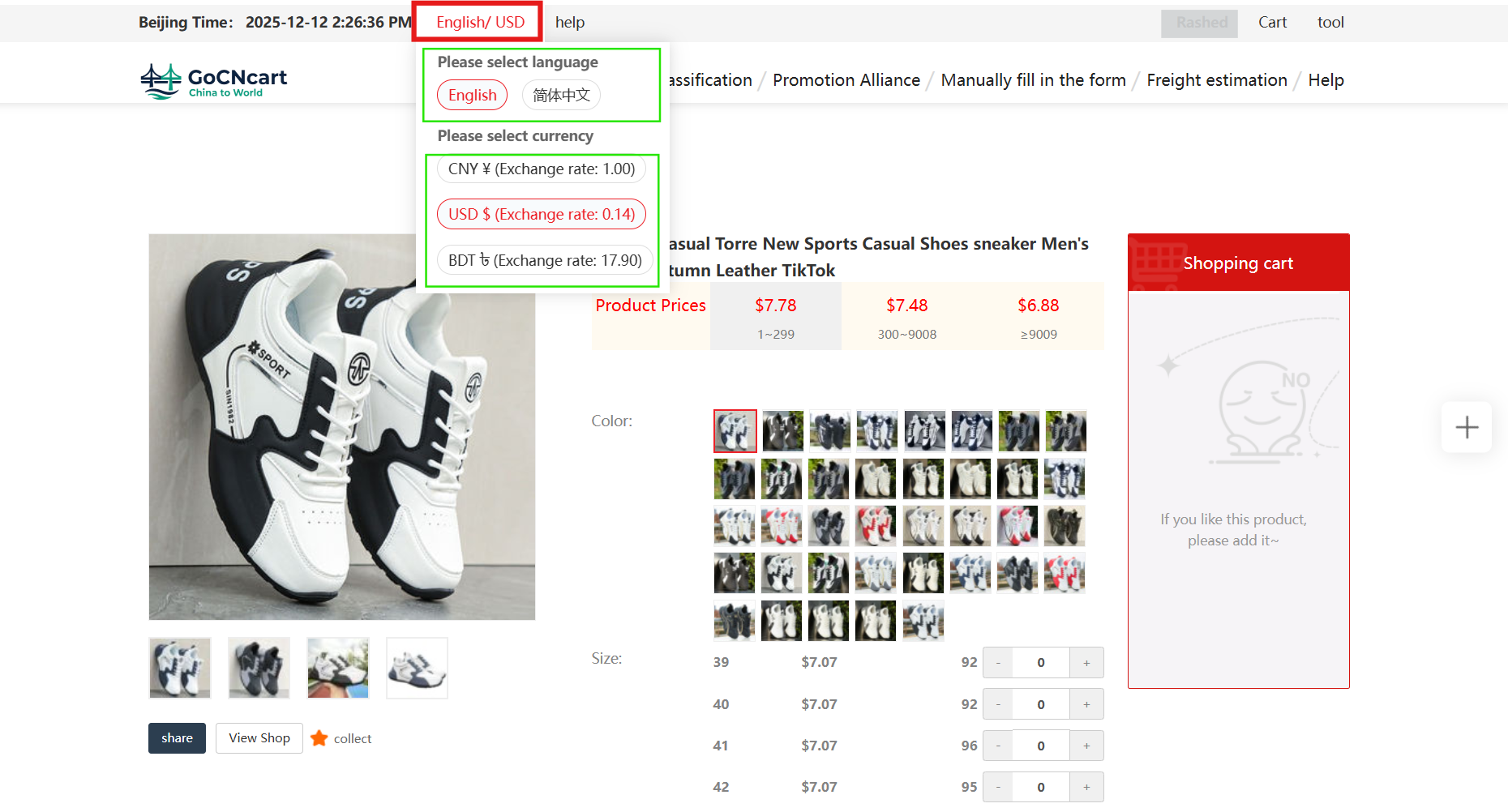
1 Choose your currency
Select your preferred currency to get started.
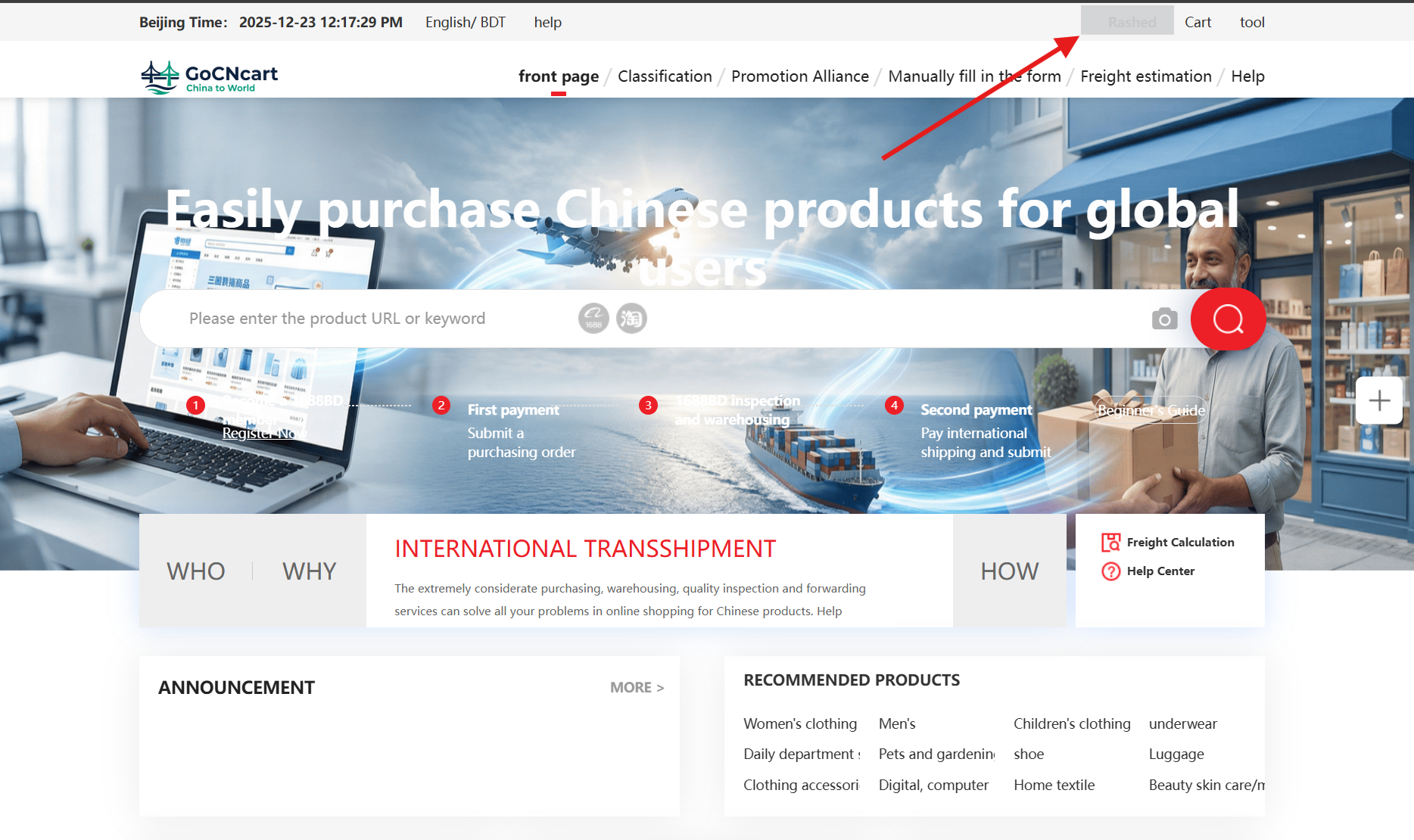
2 Open your account menu
Tap on your account username at the top of the website.
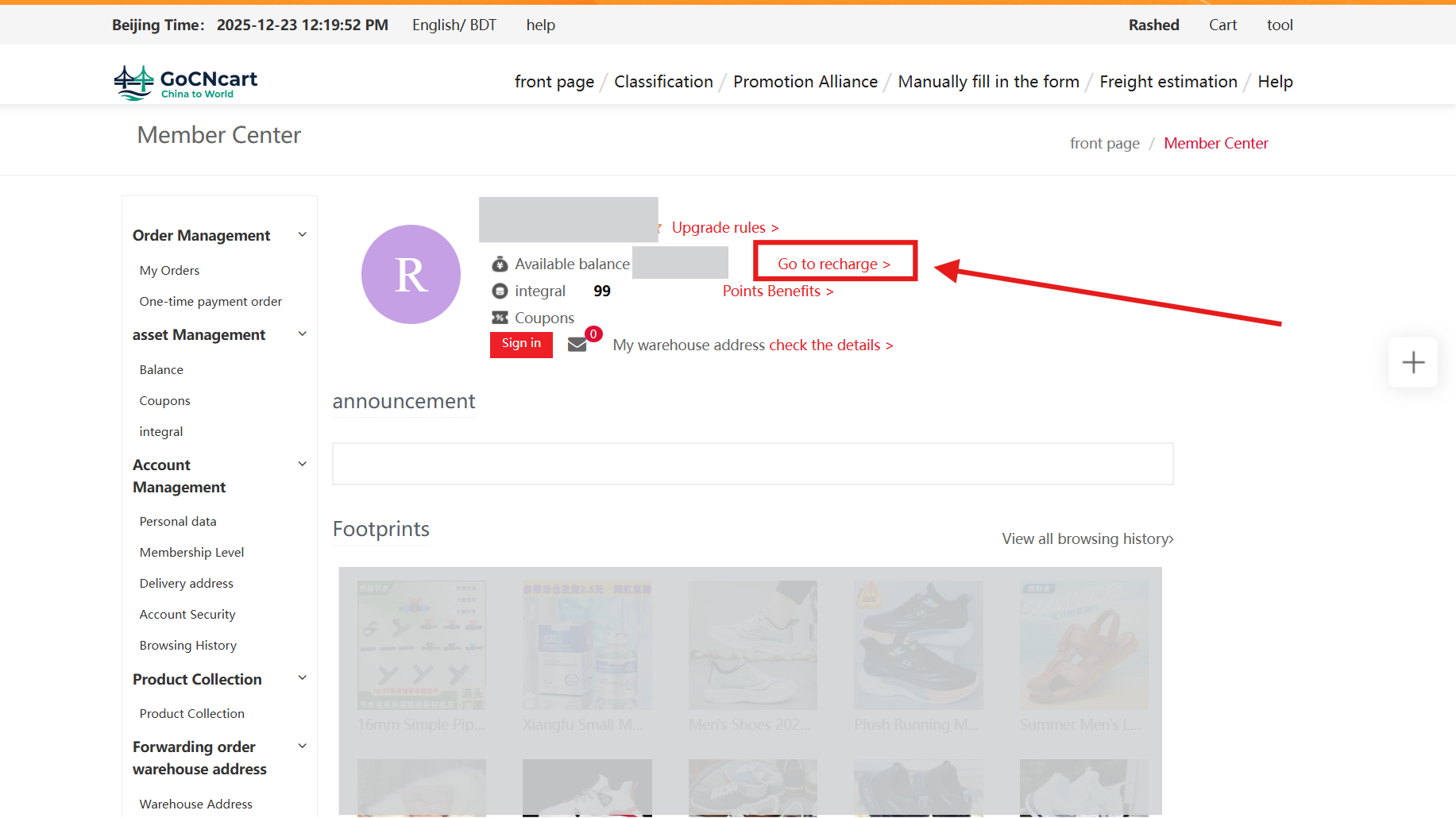
3 Go to Recharge
Tap the red‑marked “Go to Recharge” button to continue.
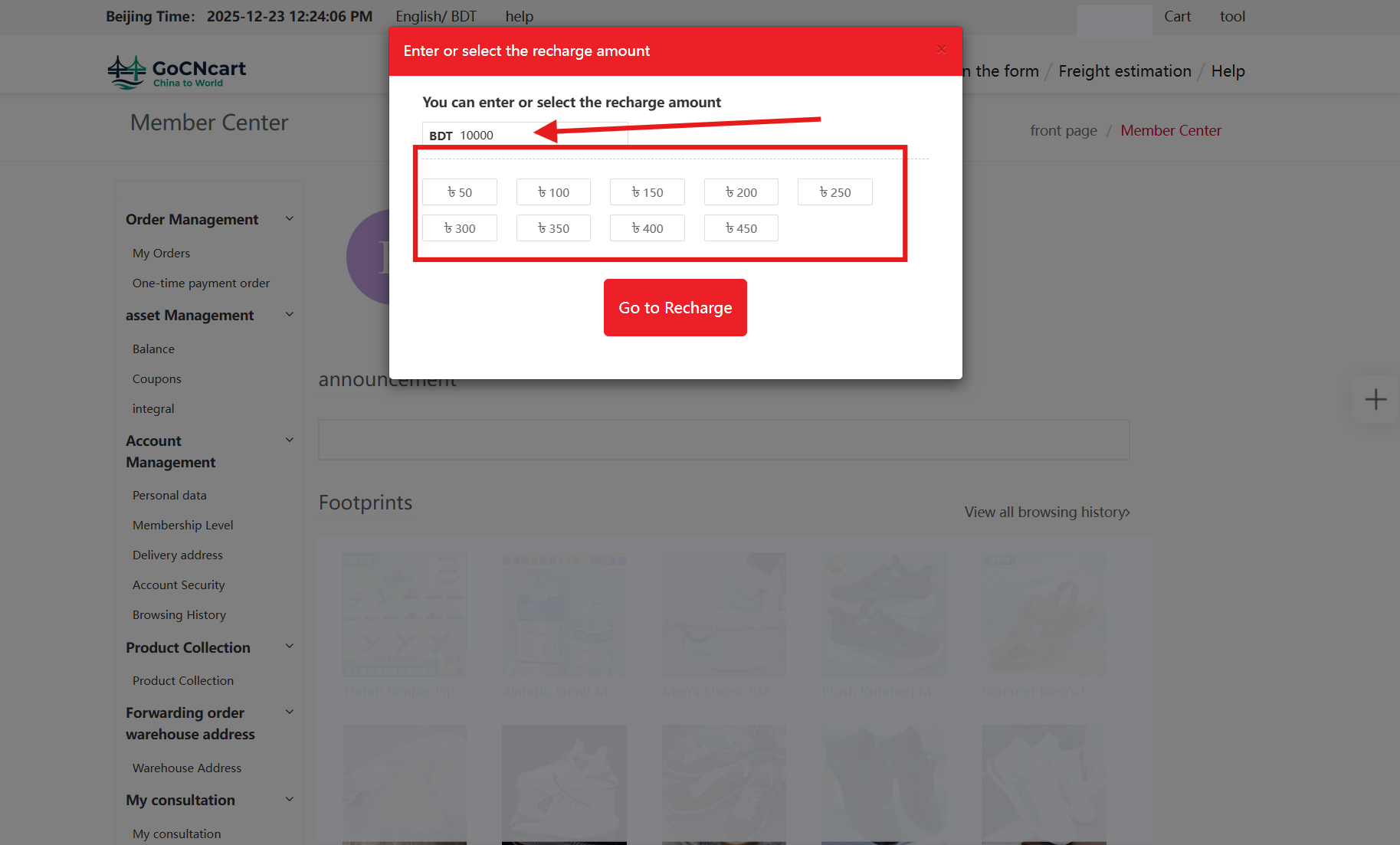
4 Confirm on the pop‑up
On the pop‑up screen, select your preferred account options and tap Recharge.
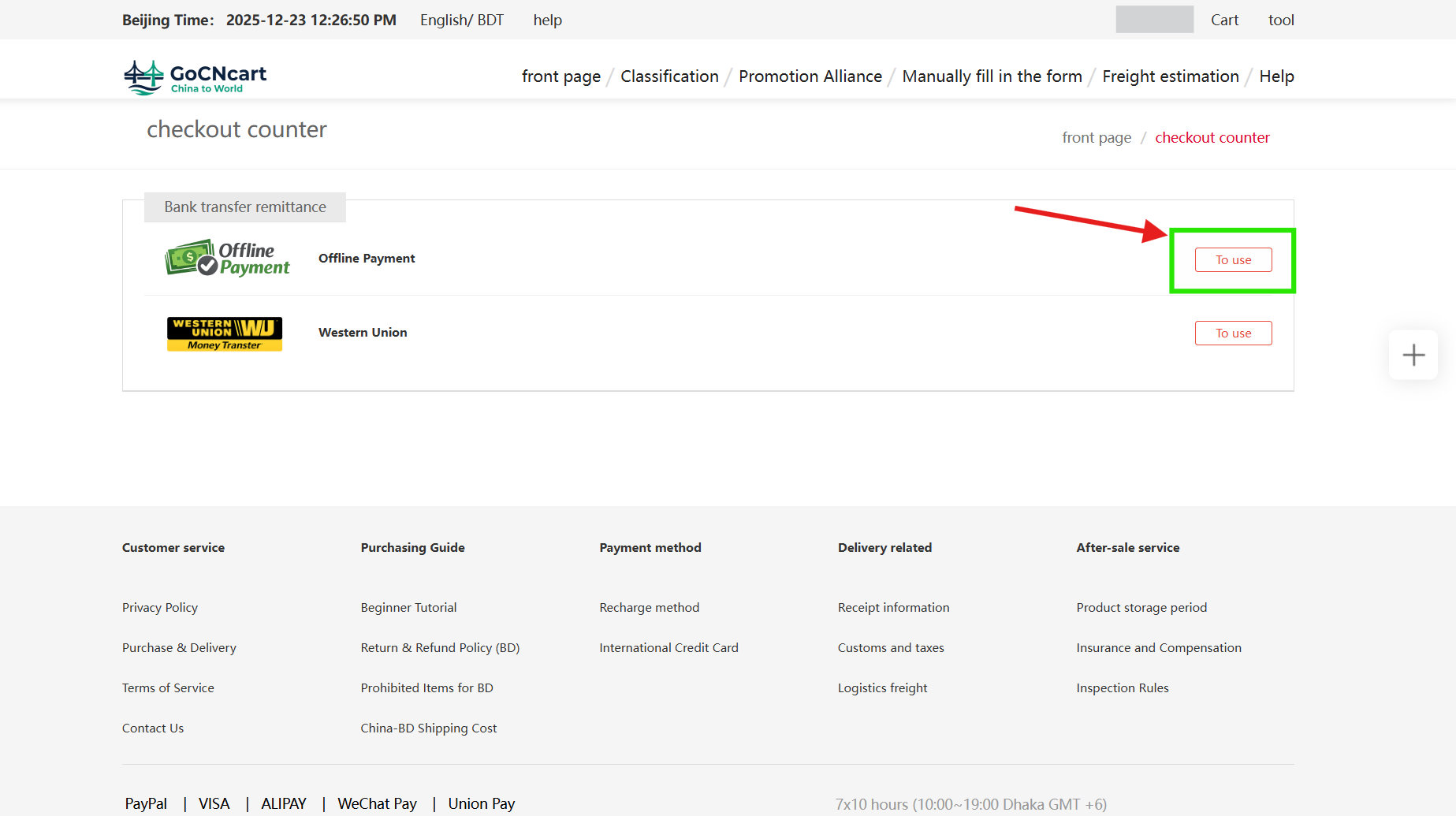
5 Choose Offline Payment
Select the Offline Payment option by clicking “To Use” (green box).
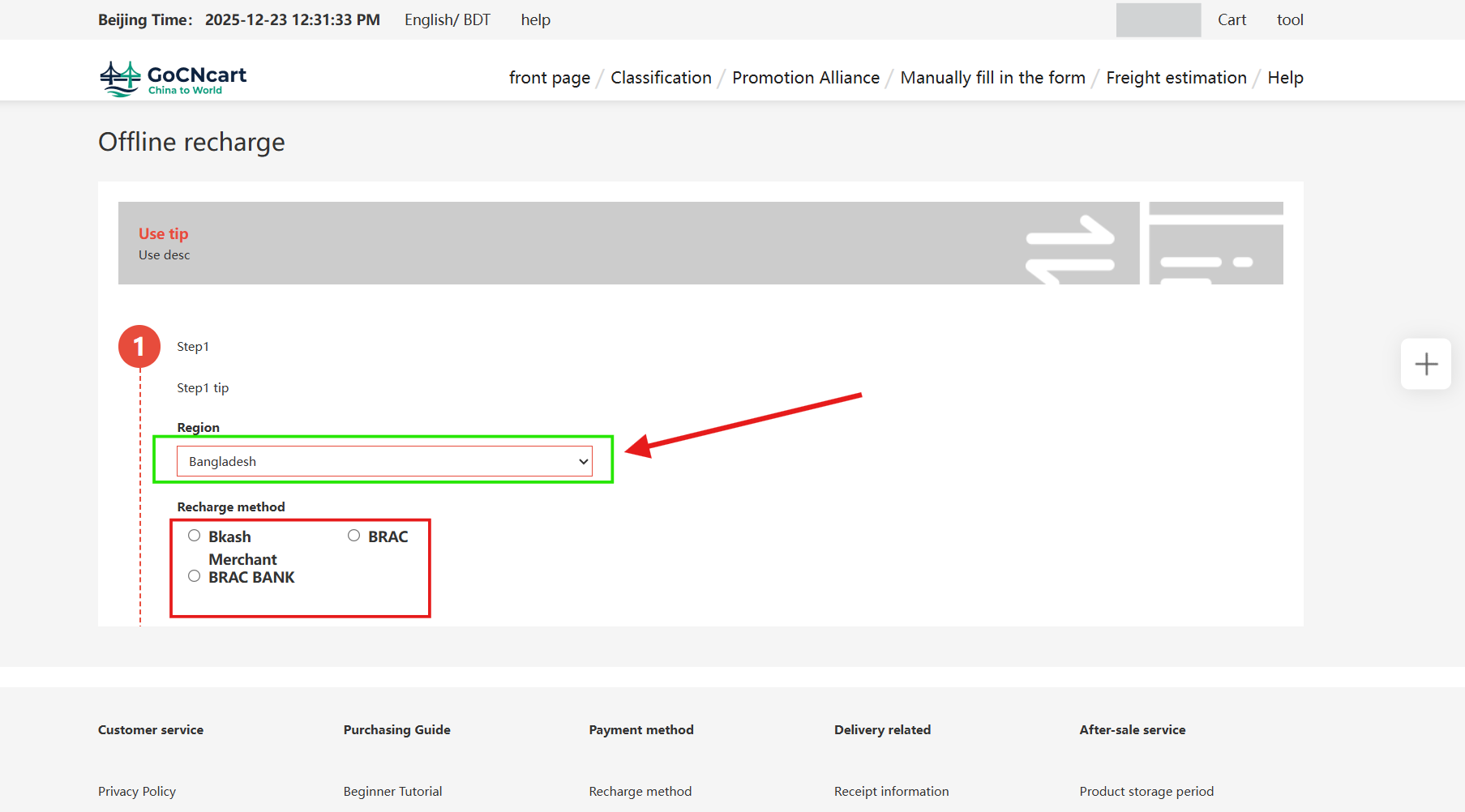
6 Select region & method
From Region, select Bangladesh and choose your preferred payment method.
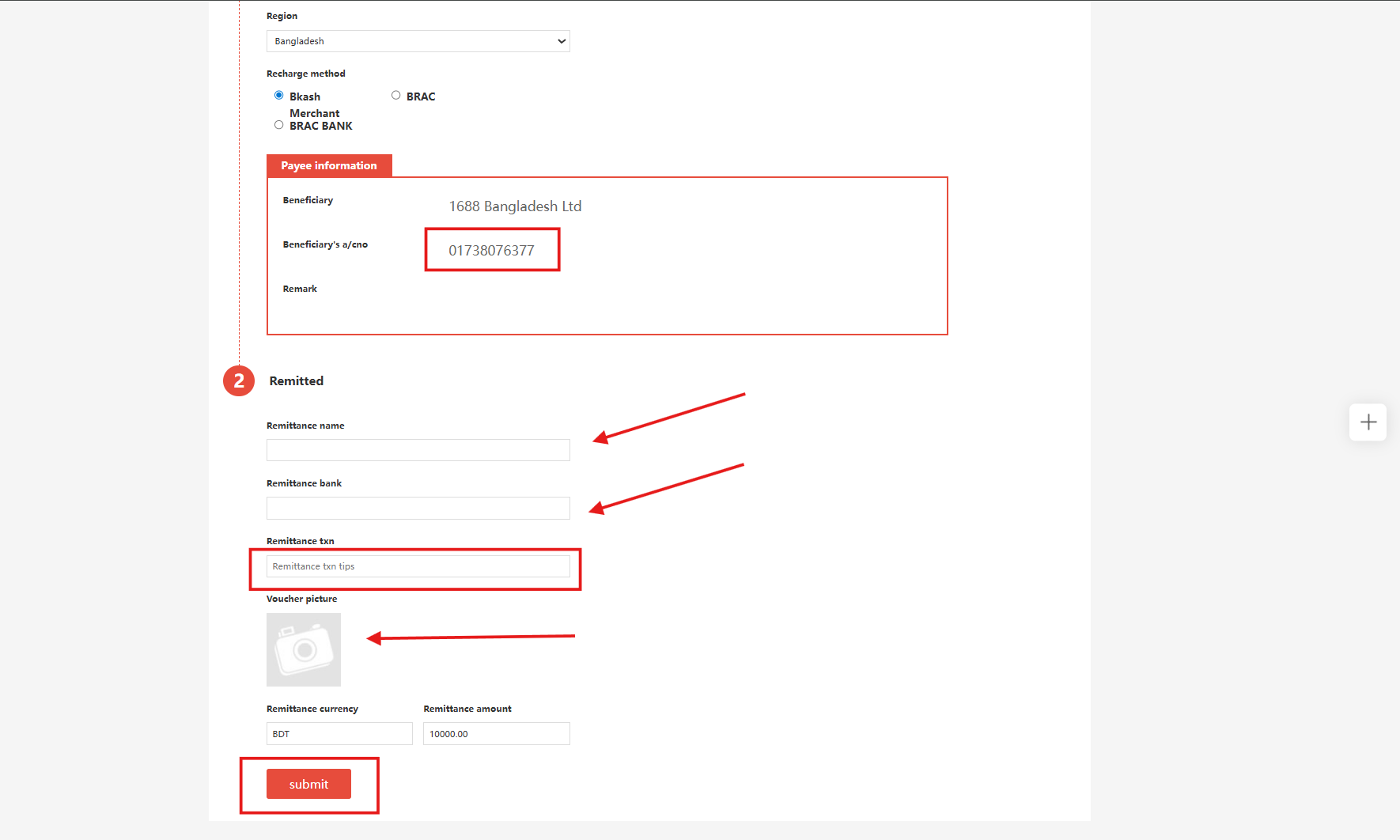
7 Pay via bKash & submit details
If you select bKash:
- Use your bKash wallet to pay to the shown merchant number (Payment → confirm).
- Fill in the remittance form:
- Remittance Name: your name
- Remittance Bank: bKash
- Remittance Tnx: your bKash Transaction ID
- Upload the screenshot of the successful bKash payment message and click Submit.
Note: After we receive your payment, your recharge will be approved and the balance added automatically. If your request is canceled due to incorrect information or the balance isn’t added within 30 minutes, please contact our support team.