This tutorial page will make it even easier for you to use our website. Welcome to GoCNcart! To start using our website—from purchasing products to accessing all available features—you first need to complete the registration process. Simply provide your name/username, email, mobile number, and preferred password to create your account. Alternatively, you can register quickly through the Log In option by using the Gmail account already logged into your browser. Go to the homepage of the website. In the search bar, you can find your desired products by entering text, an image, or by pasting product links from 1688.com or Taobao.com. You can also change the website to your preferred currency and language for a more comfortable browsing experience. Select your desired product. In the red‑marked box, you will see the original price of the product, and in the green‑marked box below, you will find the domestic charge (the delivery fee from the Chinese supplier to our receiving warehouse). Total price = product price + domestic charge. Click the “Add to Cart” button below to add the item to your Shopping Cart. All items that you add to your cart will be collected in the Shipping Cart box on the right side of the screen. You may remove any item from this box if necessary. To proceed with the order process for items in your cart, click the Settlement button. On the product details page, the View Shop button (green highlight) opens the manufacturer/supplier’s product gallery. See a detailed breakdown of each item: size, color, type, quantity, unit price, and domestic charge per product. Please review carefully. If everything looks correct, click Settlement to proceed. A confirmation pop‑up will appear. Click OK to continue. Here you will again see your product price and domestic charge. We apply a 10% service fee on the product price only, as stated on our
About Us page. Optional add‑ons (checkboxes): If no address appears under Select Address, you likely didn’t add one during registration. Click the green “My Address – Add Address” button, choose your country, and complete your full delivery address. When you select and checkmark your local delivery address, the Mode of Transport box appears automatically. Click Submit to proceed. On the Checkout Counter page, you’ll see the Total Payable Amount, and just below it, your Your Balance (recharged balance). Unpaid orders appear under “One‑Time Payment Order” in your account. If not paid within 7 days, the order will be deleted automatically. To recharge your balance, see our
Recharge Method page. Click your registered Account Name (top bar) to open Account Settings.
To view this entire tutorial in Bangla,
click here.
To watch the video tutorial,
click here.
Beginner Tutorial
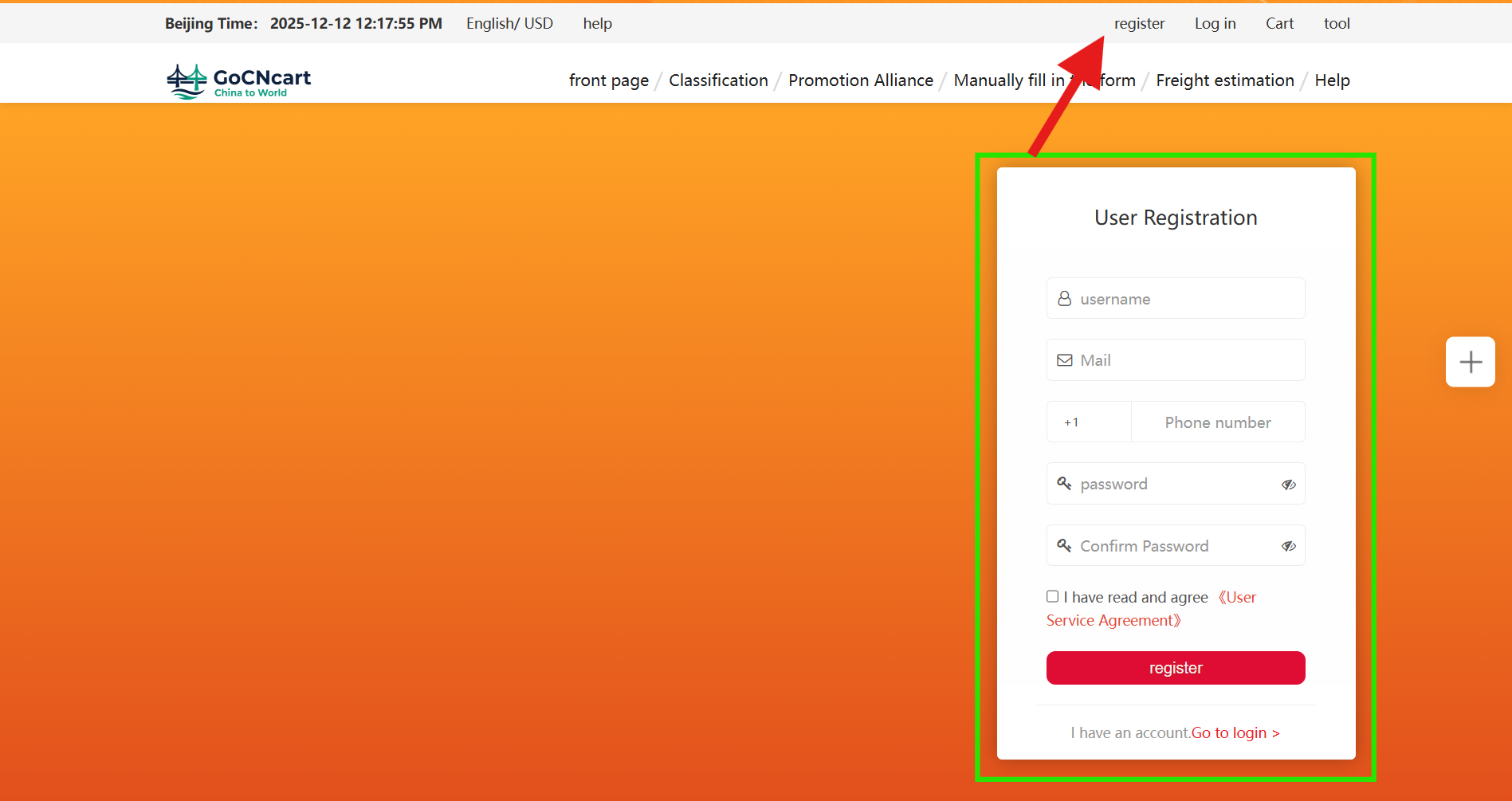
1 Register your account
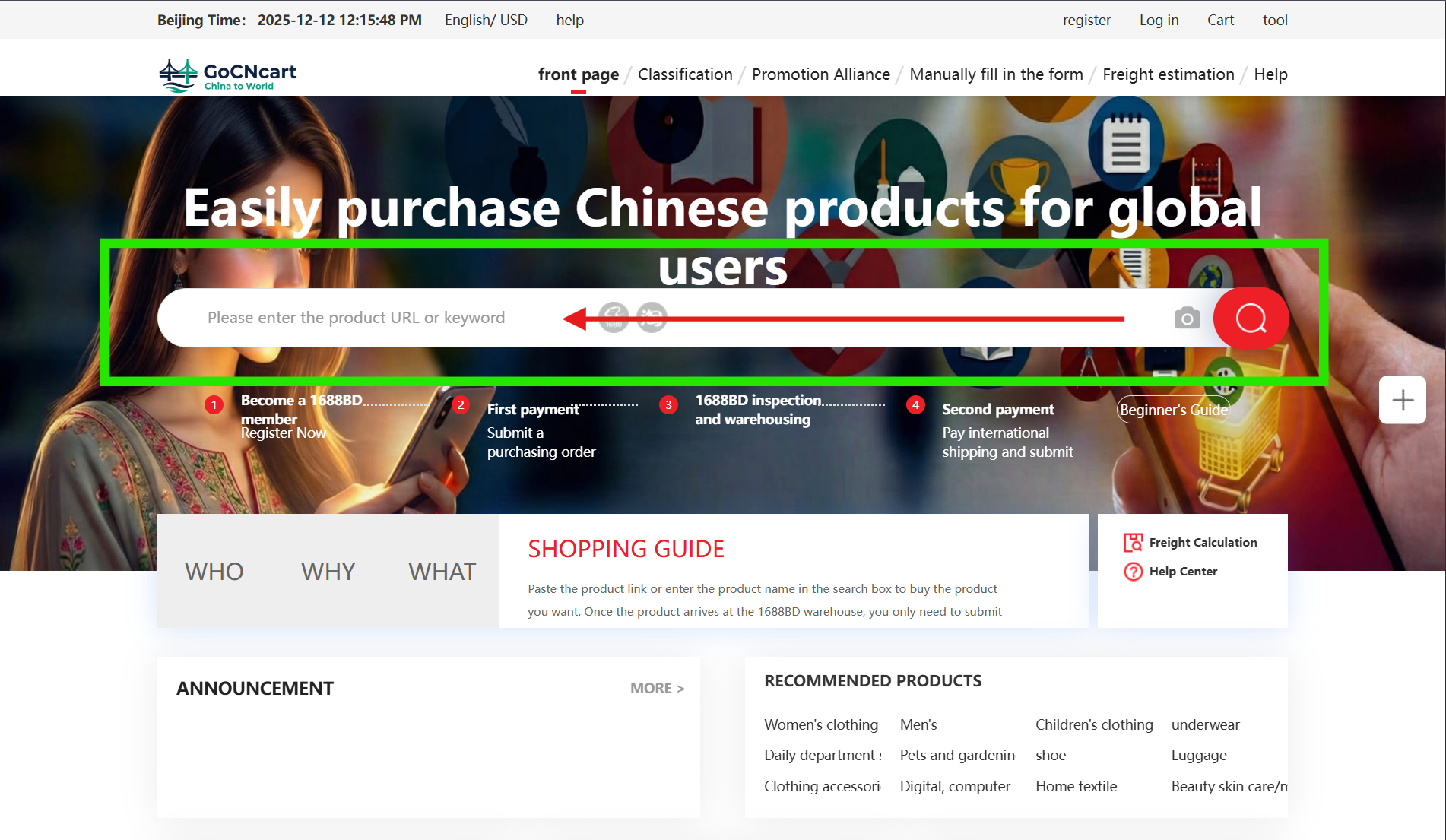
2 Search products on the homepage
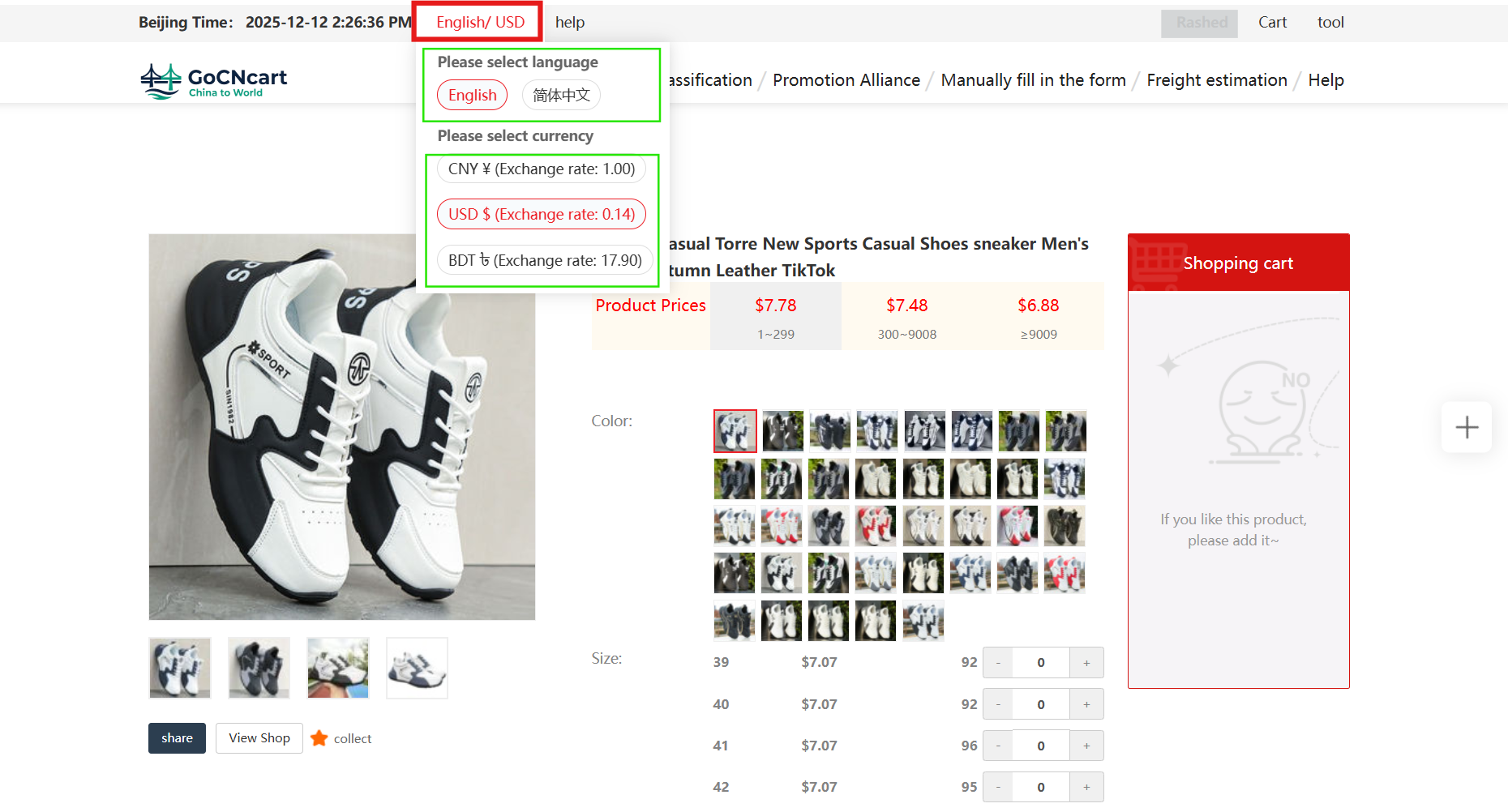
3 Choose your currency and language
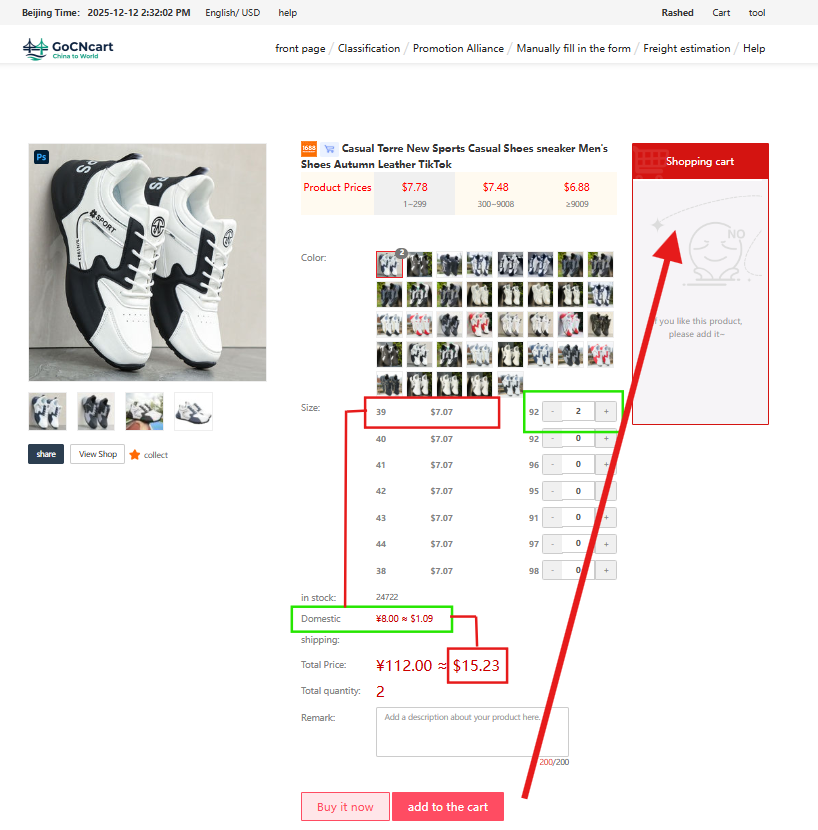
4 View pricing and add to cart
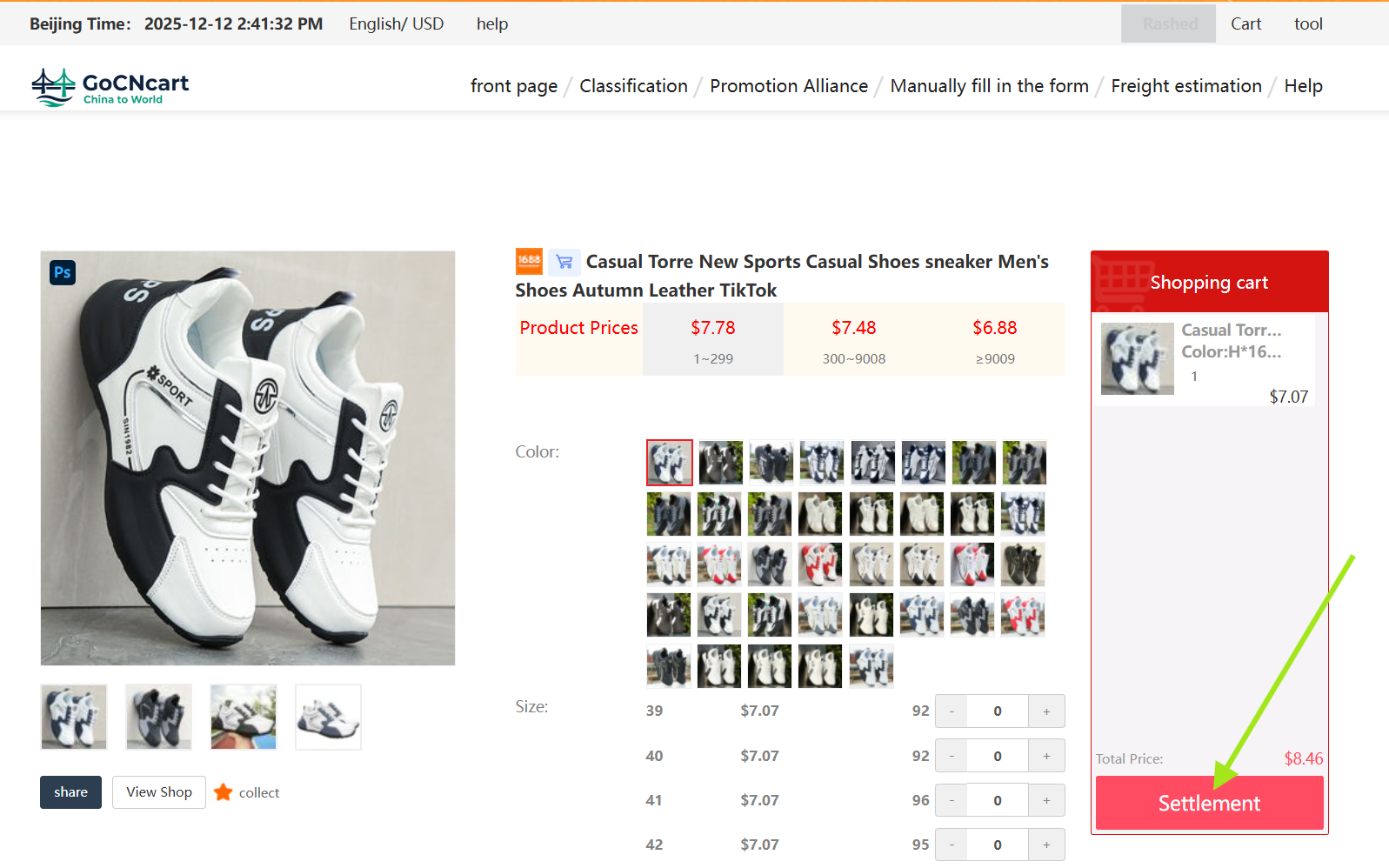
5 Manage your Shipping Cart & proceed to Settlement
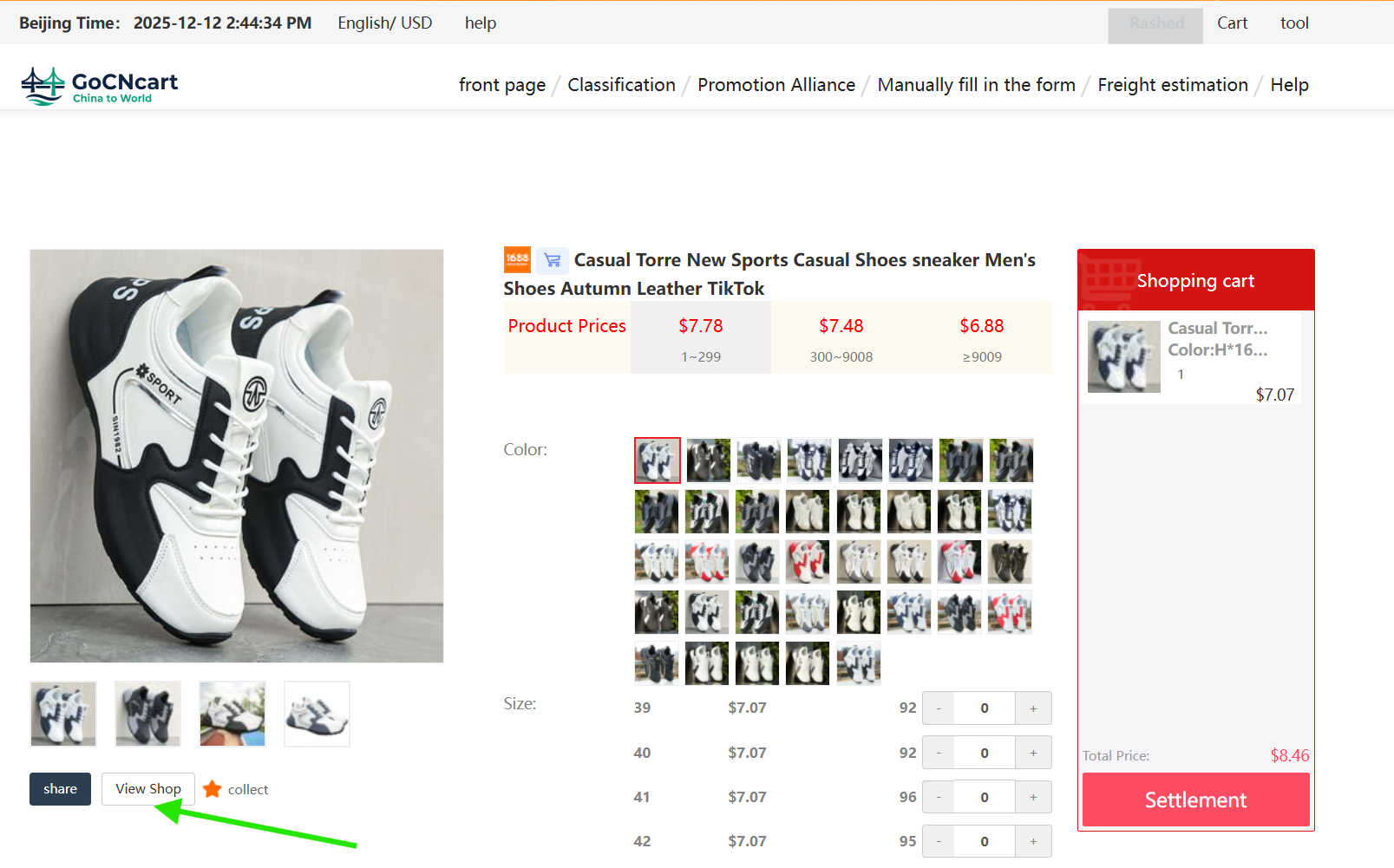
6 Explore the supplier’s shop
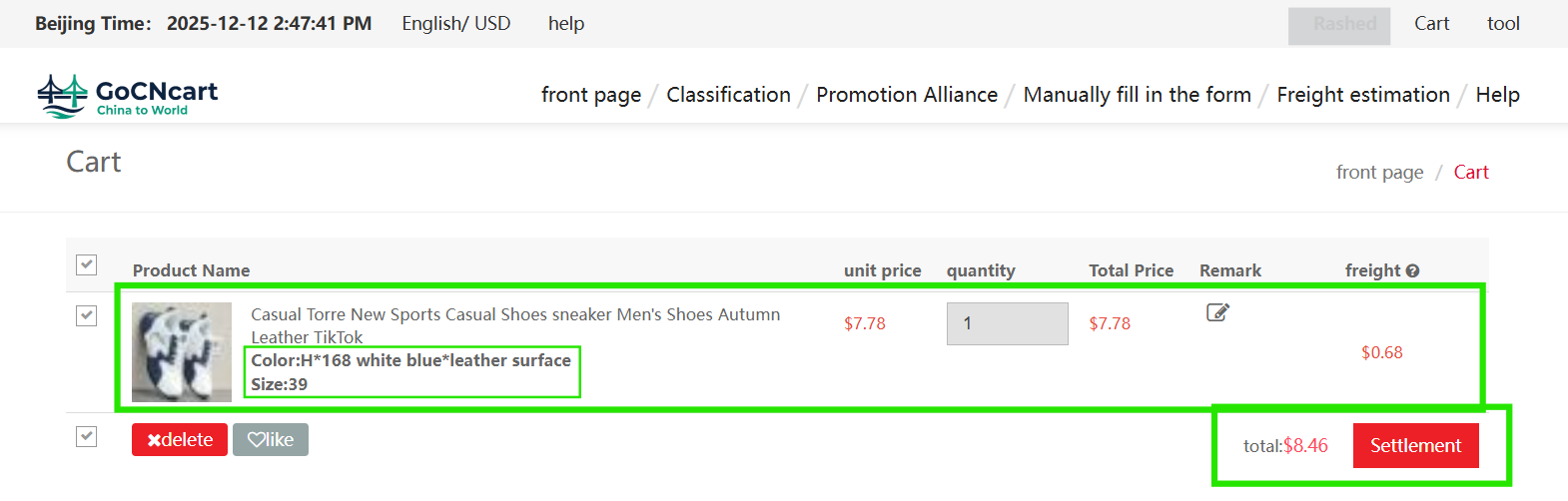
7 Review order details before confirming
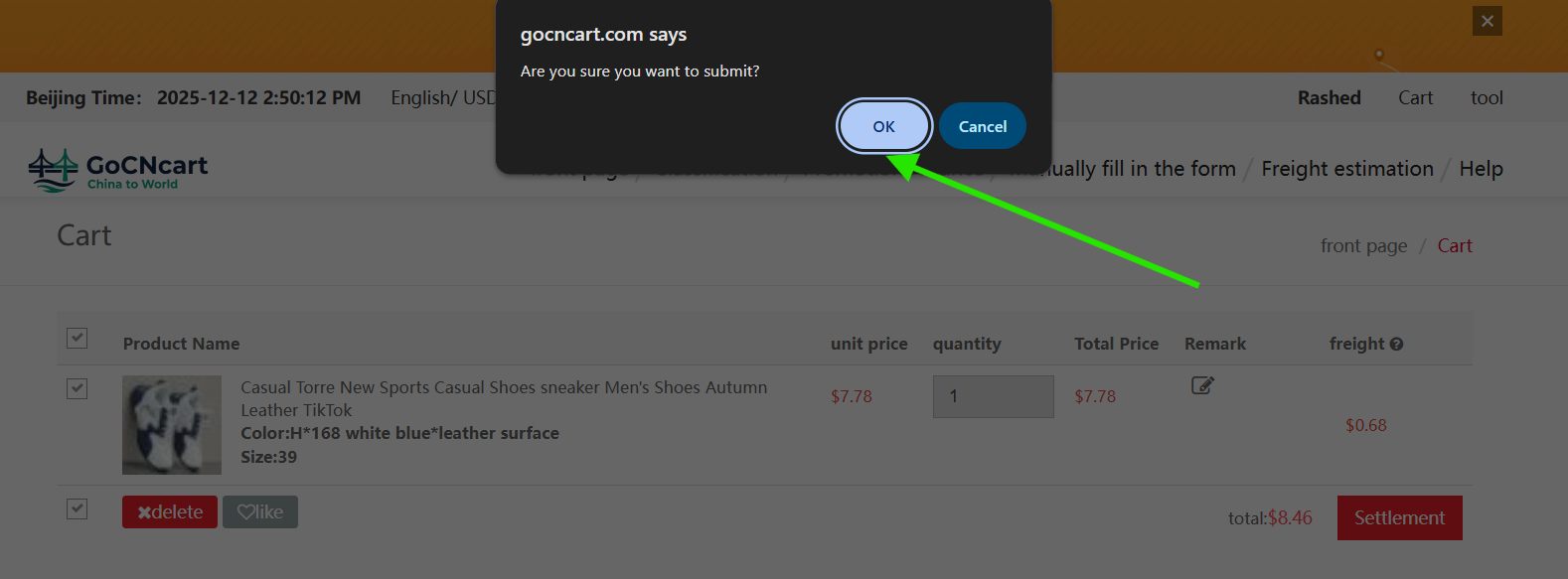
8 Confirm the pop‑up
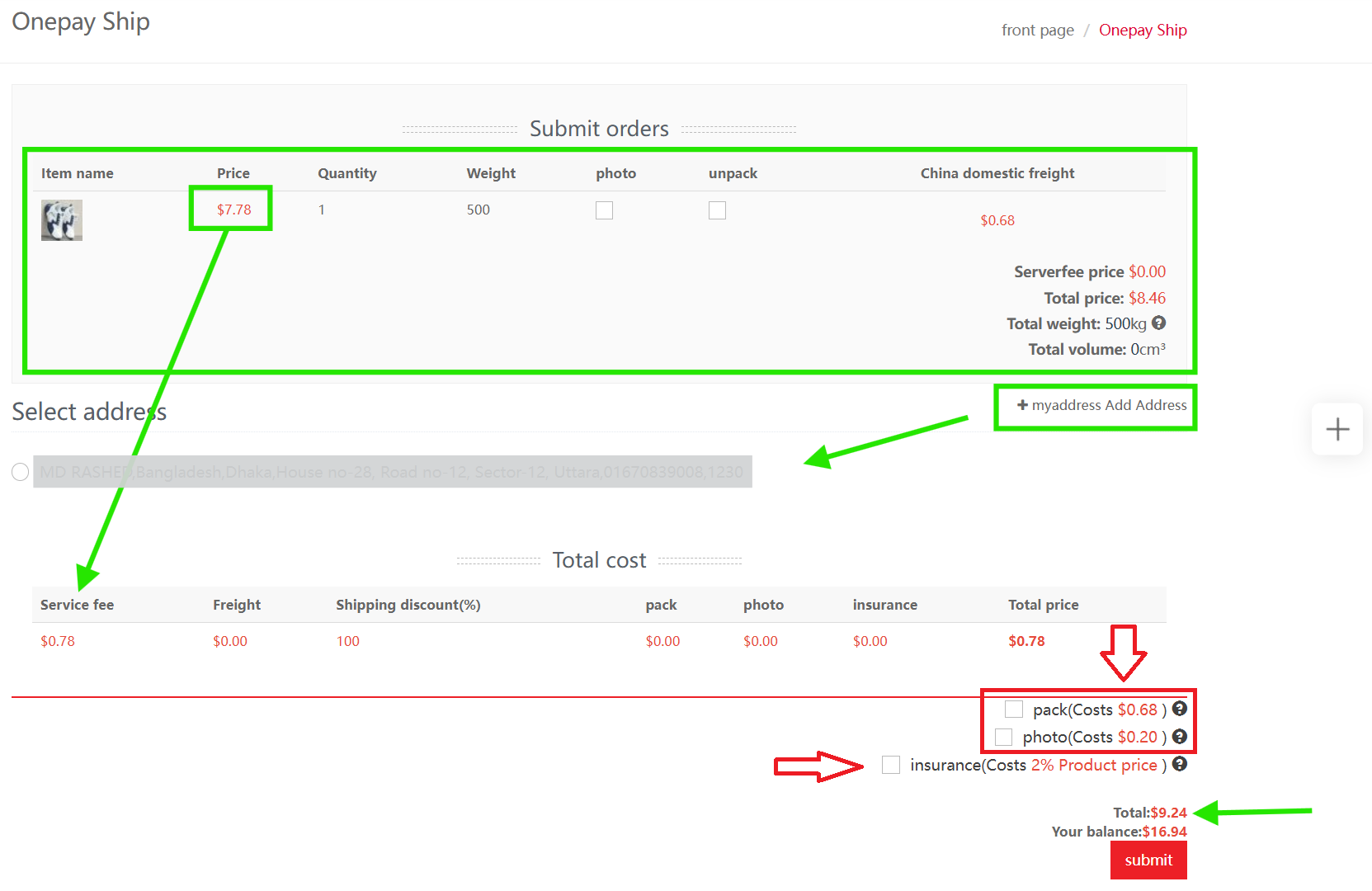
9 Onepay Ship — fees & optional services
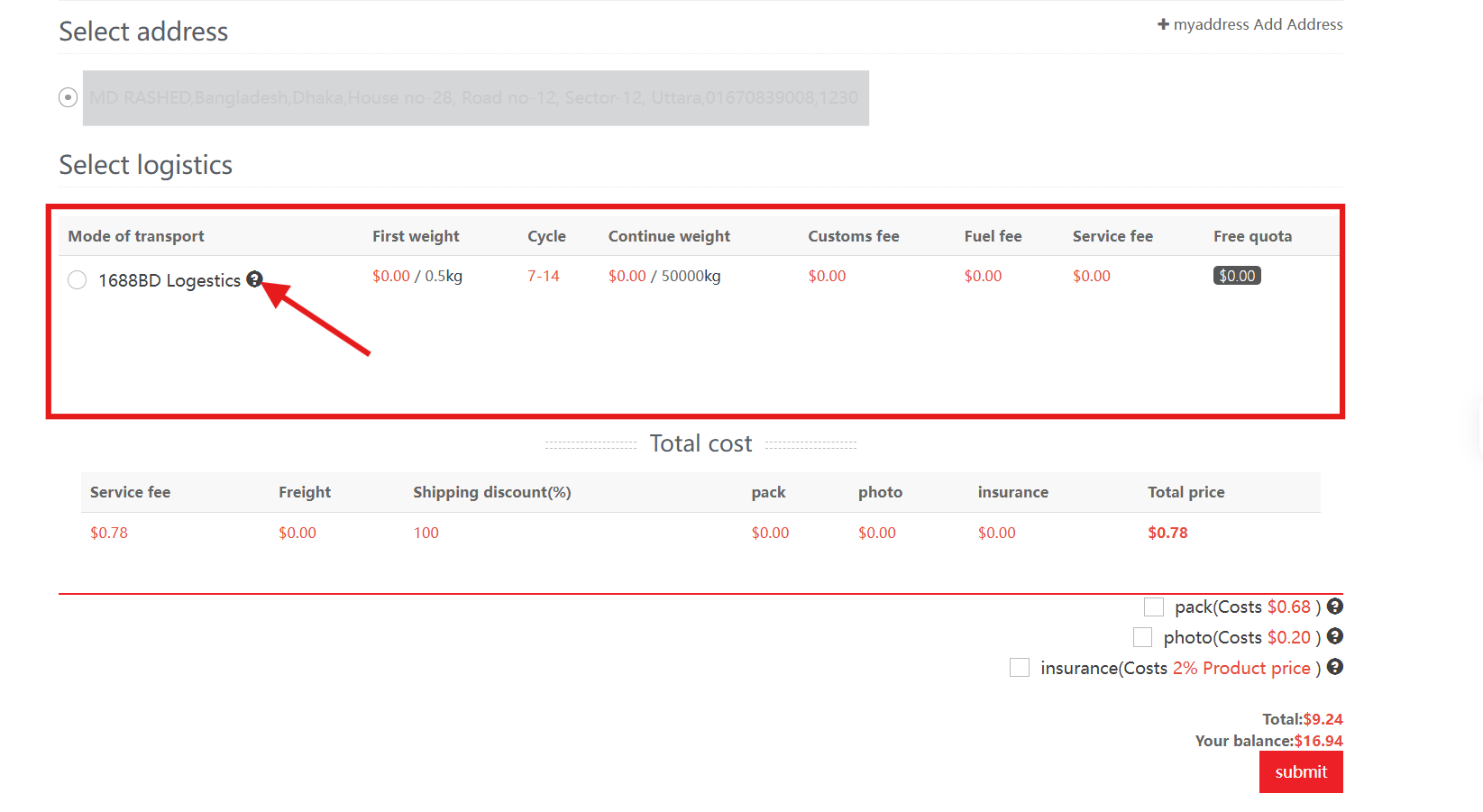
10 Select address & transport mode
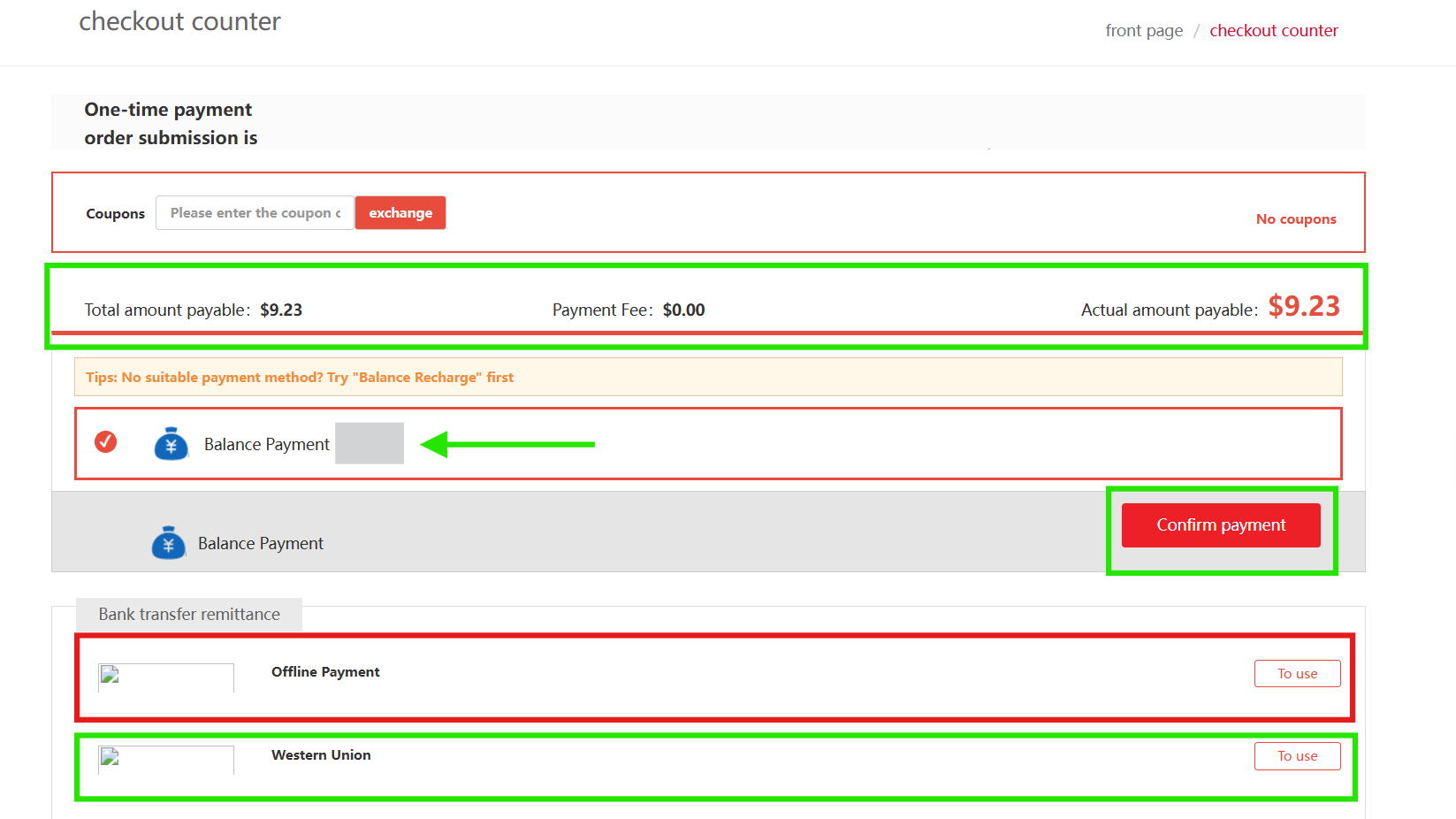
11 Checkout Counter — pay or remain pending
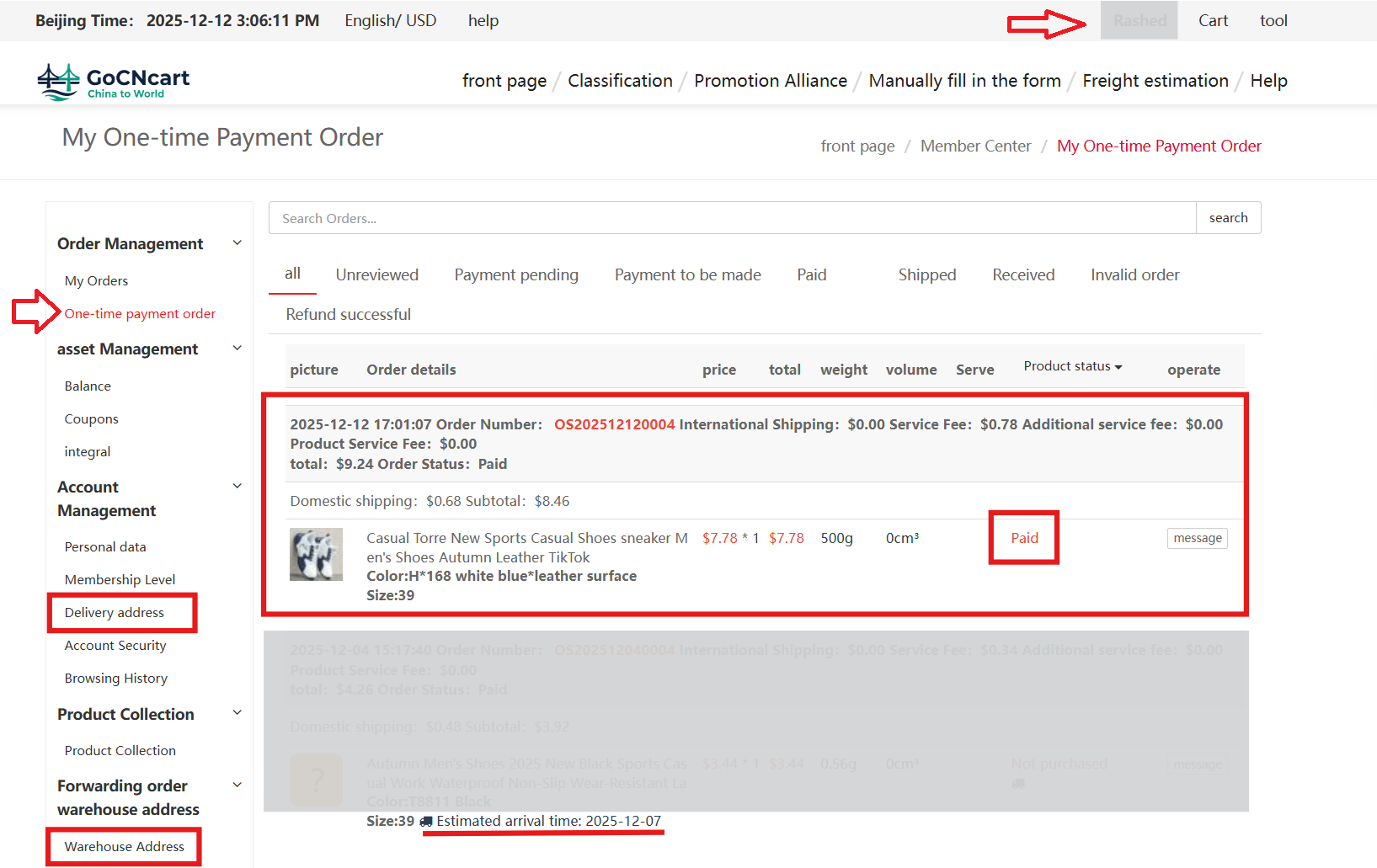
12 Account settings — track orders & manage addresses
You’ll also see the estimated date your product will reach our China warehouse.